

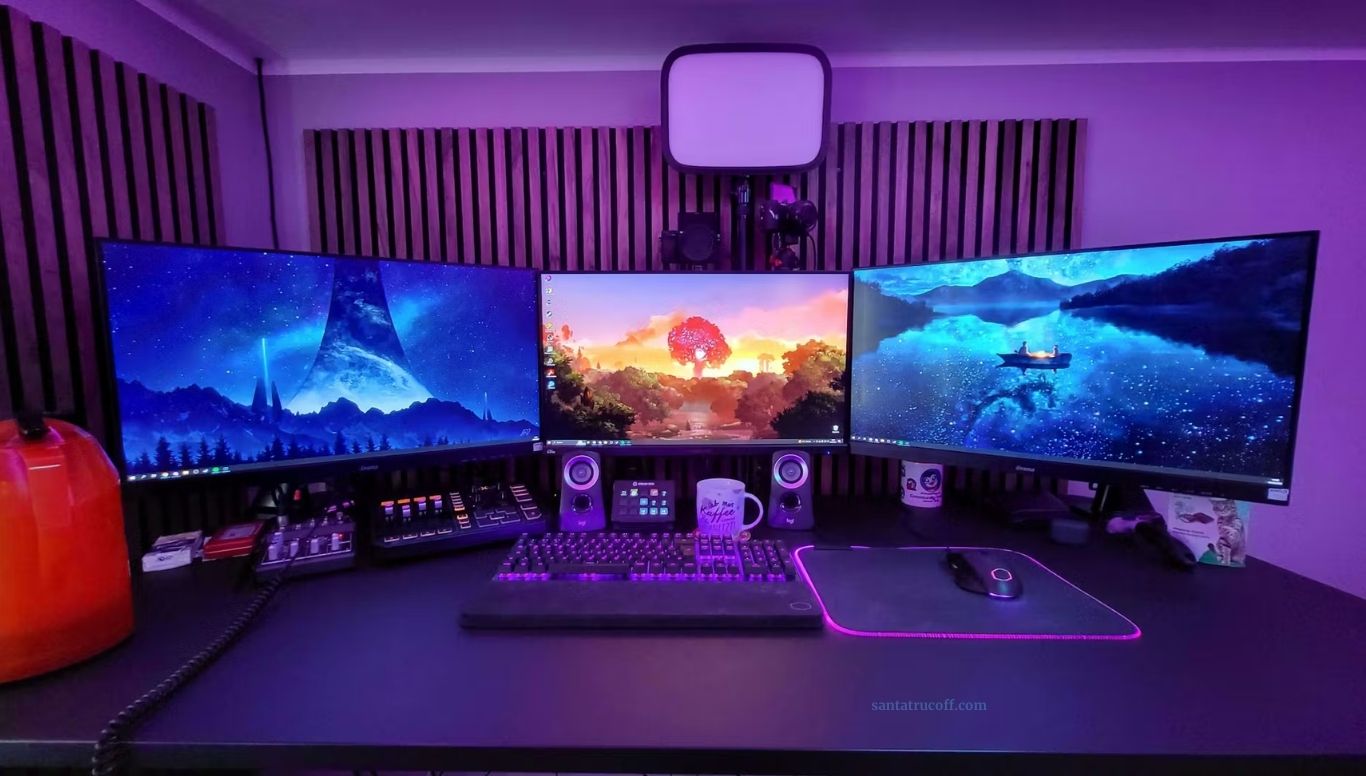
Ever-evolving world of PC gaming, having the ultimate PC gamer setup is no longer a luxury—it’s essential for immersive gameplay, smooth performance, and competitive advantage. Whether you’re a casual gamer or an esports professional, optimizing your gaming rig and environment can make a significant difference. This guide provides expert tips, reviews, and recommendations to help you create the best PC gaming setup possible.
Why a High-Performance PC Gamer Setup Matters
A high-performance PC gamer setup goes beyond just owning a powerful computer. It encompasses everything from your monitor, keyboard, and mouse to your desk, chair, and ambient lighting. Here’s why it matters:
- Enhanced Gaming Performance – A well-optimized setup reduces lag, improves frame rates, and allows you to run games at higher settings.
- Comfort and Ergonomics – Long gaming sessions demand comfort; the right chair, desk height, and peripherals reduce strain and prevent injuries.
- Competitive Edge – For competitive gamers, every millisecond counts. Precision peripherals and fast monitors can be the difference between victory and defeat.
Key Components of the Best PC Gamer Setup
To achieve the ultimate gaming experience, focus on these crucial components:
The PC: CPU, GPU, and RAM
At the heart of your setup is your gaming PC. When building or buying a PC, consider these components:
- CPU (Central Processing Unit): For gaming, a high-end CPU like the Intel Core i9 or AMD Ryzen 9 ensures smooth gameplay, especially in CPU-intensive games.
- GPU (Graphics Processing Unit): The GPU is critical for rendering high-quality graphics. NVIDIA RTX 4070 or AMD Radeon RX 7900 XT are excellent choices.
- RAM: 16GB is the minimum for modern gaming, but 32GB is ideal for multitasking and high-performance games.
Monitor: Resolution, Refresh Rate, and Response Time
A gaming monitor can make or break your experience. Consider:
- Resolution: 1440p or 4K provides sharper visuals.
- Refresh Rate: 144Hz or higher ensures smoother gameplay.
- Response Time: 1ms to 5ms response time minimizes motion blur in fast-paced games.
Keyboard and Mouse: Precision and Comfort
Your peripherals are extensions of your hands:
- Mechanical Keyboards: Offer tactile feedback and durability. Look for features like customizable RGB lighting.
- Gaming Mice: High DPI, programmable buttons, and ergonomic designs enhance precision and comfort.
Audio Setup: Headsets and Speakers
Immersive audio is essential for gaming:
- Gaming Headsets: Look for surround sound, noise cancellation, and comfort.
- Speakers: For those who prefer room-filling audio, invest in a quality 2.1 or 5.1 speaker system.
Desk and Chair: Ergonomics Matter
Comfort is key for long gaming sessions:
- Gaming Chairs: Adjustable, supportive chairs prevent back pain.
- Desks: Spacious desks with cable management options improve organization and aesthetics.
Cooling and Cable Management
High-performance PCs generate heat, so:
- Cooling Systems: Air or liquid cooling ensures your PC stays at optimal temperatures.
- Cable Management: Keeps your setup tidy and improves airflow.
Tips for Optimizing Your PC Gamer Setup
Beyond hardware, a few optimization strategies can elevate your gaming experience:
- Update Drivers Regularly – Keeping your GPU and CPU drivers updated improves performance and fixes bugs.
- Optimize Game Settings – Adjusting graphics settings per game ensures a balance between visuals and frame rate.
- Use SSD Storage – Solid-state drives dramatically reduce game load times compared to traditional HDDs.
- Maintain Ergonomics – Proper posture, desk height, and monitor placement reduce fatigue and injury risk.
- Enhance Ambient Lighting – RGB lighting not only looks cool but can reduce eye strain when paired with dim room lighting.
Recommended Products for the Ultimate PC Gamer Setup
Here are some top-rated products for each category of your gaming setup:
- PC: Custom build with Intel Core i9-14900K, NVIDIA RTX 4080, 32GB DDR5 RAM
- Monitor: ASUS ROG Swift PG32UQX – 4K, 144Hz, 1ms
- Keyboard: Corsair K100 RGB Mechanical Keyboard
- Mouse: Logitech G502 X Plus
- Headset: SteelSeries Arctis Pro Wireless
- Chair: Secretlab Titan Evo 2023
- Desk: Arozzi Arena Gaming Desk
These products are frequently recommended by gaming enthusiasts and reviewers for combining performance, durability, and aesthetics.
Reviews: What Gamers Are Saying
According to multiple gaming communities and reviews:
- Gamers appreciate mechanical keyboards for their tactile feedback and durability.
- High refresh rate monitors significantly improve competitive gaming performance, especially in FPS titles.
- Ergonomic chairs prevent discomfort and allow longer gaming sessions without fatigue.
It’s clear that investing in quality components pays off not only in performance but also in overall comfort and experience.
Frequently Asked Questions
What is the best PC gamer setup for high-performance gaming?
The best PC gamer setup combines a powerful CPU, high-end GPU, sufficient RAM (16–32GB), fast SSD storage, a high-refresh-rate monitor, a mechanical keyboard, a precision gaming mouse, and an ergonomic chair. Cooling and cable management also play a key role in maintaining optimal performance.
How much should I spend on a gaming PC setup?
A high-performance gaming PC setup can range from $1,500 to over $4,000, depending on your choice of CPU, GPU, peripherals, and accessories. Budget setups under $1,500 can still deliver solid 1080p performance.
Do I need a 4K monitor for gaming?
While a 4K monitor provides sharper visuals, a 1440p monitor with a high refresh rate (144Hz or higher) is often the better choice for competitive gaming due to smoother performance and faster response times.
What peripherals are essential for PC gamers?
Essential peripherals include a mechanical keyboard, gaming mouse with high DPI, gaming headset or speakers, and an ergonomic chair. Optional items include RGB lighting, specialized controllers, and streaming equipment.
How can I optimize my PC gamer setup for better performance?
Optimize performance by updating drivers, adjusting in-game graphics settings, using SSD storage, keeping your system cool, and ensuring your workspace is ergonomic.
Conclusion
Creating the best PC gamer setup is about more than just having the latest graphics card—it’s about balance, performance, comfort, and aesthetics. By investing in high-quality hardware, optimizing your settings, and designing an ergonomic workspace, you can enjoy smooth gameplay, immersive experiences, and a competitive edge.Whether you’re streaming, competing, or just enjoying your favorite games, following these tips and reviews will help you build the ultimate gaming environment tailored to your needs.
