

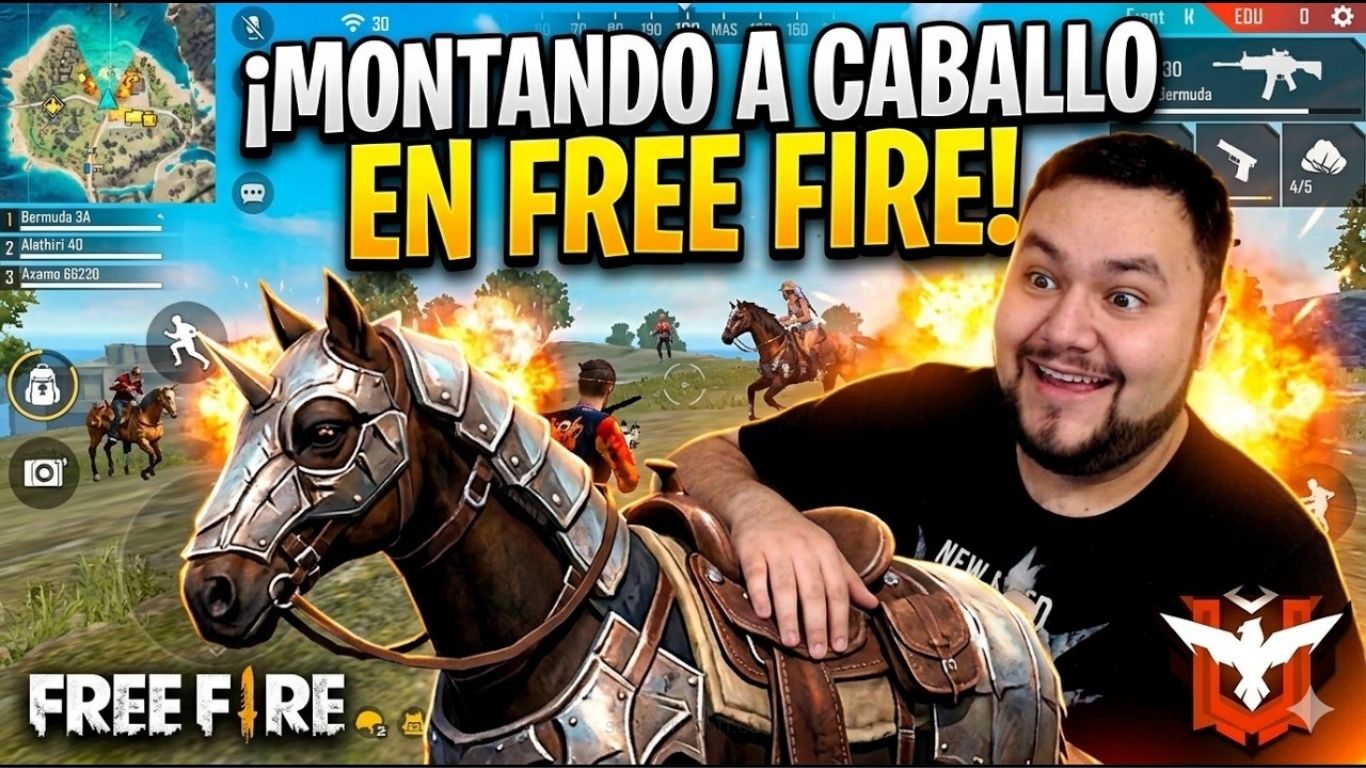
Si llevas algún tiempo jugando a Free Fire y tu objetivo es subir de rango, probablemente ya habrás notado que el meta cambia constantemente. Los desarrolladores incorporan nuevas mecánicas y elementos que pueden transformar por completo la manera en la que los jugadores se desplazan y aprovechan el mapa. La incorporación del caballo en Free Fire es uno de esos cambios que ha llamado especialmente la atención, aunque muchos jugadores todavía no saben cómo sacarle el máximo partido durante las partidas clasificatorias.
Seamos sinceros: encontrar un vehículo tradicional en el momento adecuado no siempre es fácil y, además, algunos pueden generar bastante ruido, haciendo que los enemigos detecten nuestra posición con mayor facilidad. El caballo ofrece una alternativa diferente para desplazarse por el mapa y puede convertirse en una herramienta muy útil cuando se utiliza correctamente. Conocer las mejores formas de usar el caballo en Free Fire puede ayudarte a mejorar tu movilidad, rotar con mayor seguridad y aprovechar determinadas situaciones a tu favor.
En este artículo descubrirás diferentes estrategias para utilizar el caballo de manera inteligente durante tus partidas. Desde los desplazamientos y las rotaciones hasta la forma de aprovechar el terreno y evitar situaciones innecesariamente peligrosas, repasaremos consejos prácticos que puedes aplicar desde tu próxima partida. Si buscas mejorar tu rendimiento y dominar cada aspecto del mapa, aprender a utilizar correctamente esta montura puede darte una ventaja interesante frente a otros jugadores.
Así que prepárate para conocer cómo aprovechar el caballo en Free Fire de forma más estratégica y convertirlo en un recurso útil para tus próximas partidas.
Cómo el caballo transforma tu movilidad en el mapa
La movilidad es uno de los factores más importantes para sobrevivir y llegar a las últimas fases de una partida de Free Fire. No importa lo buena que sea tu puntería: si la zona segura se aleja demasiado, quedas atrapado en un área abierta o no encuentras una ruta de escape, tus posibilidades de sobrevivir pueden reducirse rápidamente. Además, desplazarse a pie por mapas como Bermuda, Purgatorio o Kalahari puede dejarte expuesto a jugadores que aprovechan las posiciones elevadas para atacar desde la distancia.
En este sentido, el caballo ofrece una alternativa interesante para mejorar los desplazamientos por el terreno. Su capacidad para moverse por superficies irregulares permite recorrer determinadas zonas del mapa con mayor facilidad que algunos vehículos convencionales. Colinas, áreas boscosas y caminos poco accesibles pueden resultar más sencillos de atravesar, lo que te da mayor libertad a la hora de elegir una ruta.
Una de las grandes ventajas de esta montura aparece cuando necesitas realizar una rotación rápida. Imagina que la zona segura se cierra en una ubicación situada al otro lado de una montaña en Peak. Con un vehículo convencional, quizá tengas que buscar un camino específico o dar un rodeo para evitar obstáculos. Con el caballo, puedes elegir una ruta más directa y aprovechar su movilidad para superar pequeñas irregularidades del terreno. Esto puede ayudarte a ahorrar tiempo y llegar a una posición más segura antes de que la zona siga reduciéndose.
Sin embargo, la verdadera utilidad del caballo no consiste únicamente en desplazarse más rápido. También puede ayudarte a tomar mejores decisiones estratégicas. Llegar con anticipación a la siguiente zona segura te permite buscar una buena posición, recoger recursos con tranquilidad y prepararte para los enfrentamientos que puedan producirse. También tendrás más posibilidades de detectar a jugadores que todavía están intentando escapar de la zona.
Por eso, si quieres mejorar tus resultados en partidas clasificatorias, aprender a utilizar correctamente el caballo puede ser una ventaja adicional. Una buena rotación, combinada con un posicionamiento inteligente y el conocimiento del terreno, puede marcar la diferencia entre quedar eliminado rápidamente y alcanzar las últimas posiciones de la partida.
Estrategias de rotación para sorprender a las escuadras enemigas
Una de las estrategias que puede marcar la diferencia durante una partida de Free Fire es realizar buenas rotaciones para atacar desde posiciones inesperadas. Cuando dos escuadras se enfrentan directamente en lugares como Clock Tower o Factory, el combate puede prolongarse durante bastante tiempo. Ambos equipos terminan utilizando paredes gloo, botiquines y munición mientras esperan que el rival cometa un error que les permita avanzar.
En estas situaciones, el caballo puede convertirse en una herramienta útil para cambiar rápidamente de posición. Mientras algunos compañeros mantienen la presión sobre el equipo enemigo, otro jugador puede utilizar la montura para desplazarse por un lateral y buscar un ángulo diferente. Esta maniobra permite evitar el enfrentamiento frontal y obliga al rival a prestar atención a más de una dirección.
Si consigues llegar a un punto estratégico detrás o al costado del enemigo, tendrás la oportunidad de aprovechar el factor sorpresa. Desde allí puedes avisar a tus compañeros y coordinar un ataque conjunto o esperar el momento adecuado para entrar en combate. Las armas de corto alcance, como la M1887 o la MP40, pueden ser especialmente útiles cuando el enfrentamiento se produce a poca distancia.
Sin embargo, una rotación de este tipo requiere coordinación. Antes de separarte del grupo, es importante comunicar tu intención y comprobar el minimapa para conocer la ubicación aproximada de los rivales. Entrar en una zona desconocida sin información puede convertir una buena estrategia en una situación complicada.
El caballo también puede resultar útil cuando juegas en solitario y necesitas priorizar la supervivencia. Si tus compañeros han sido eliminados y te encuentras frente a escuadras completas, enfrentarte directamente puede no ser la decisión más inteligente. En estos casos, utilizar la montura para abandonar rápidamente una zona peligrosa, buscar cobertura o reposicionarte puede darte tiempo para esperar una mejor oportunidad.
La clave está en entender que el caballo no debe utilizarse únicamente como medio de transporte. Si aprendes a combinar su movilidad con el conocimiento del mapa, el minimapa y una buena lectura de la situación, podrás realizar rotaciones más seguras y mantenerte con vida durante más tiempo.
Puntos fuertes y debilidades al cabalgar en campo abierto
Como ocurre con cualquier recurso de Free Fire, el caballo tiene ventajas y limitaciones que debes conocer antes de utilizarlo como parte de tu estrategia. Aunque ofrece una movilidad muy interesante, no significa que seas inmune a los ataques enemigos. Saber cuándo aprovechar sus puntos fuertes y cuándo evitar determinadas situaciones te permitirá sacarle mucho más partido durante las partidas.
Ventajas del caballo
- Buena movilidad en terrenos complicados: El caballo facilita los desplazamientos por colinas, zonas boscosas y áreas con pequeños obstáculos. Esto te permite elegir rutas alternativas y moverte por lugares donde otros vehículos pueden tener más dificultades.
- Movimiento más discreto: Su desplazamiento puede resultar menos llamativo que el de algunos vehículos convencionales. Esto puede ser útil cuando quieres cambiar de posición sin revelar inmediatamente tu ubicación a los jugadores cercanos.
- Desmontaje rápido: Poder abandonar la montura rápidamente te permite pasar del desplazamiento al combate en poco tiempo. Si encuentras a un enemigo durante una rotación, puedes reaccionar con mayor rapidez y buscar cobertura antes de comenzar el enfrentamiento.
Desventajas del caballo
- Poca protección: Una de sus principales desventajas es que el jugador permanece bastante expuesto mientras cabalga. A diferencia de determinados vehículos que ofrecen cierta protección, aquí debes confiar principalmente en tu movimiento y en la capacidad para encontrar cobertura.
- Vulnerable frente a varios enemigos: Entrar directamente en una zona donde varias escuadras están intercambiando disparos puede ser muy peligroso. El caballo está pensado principalmente para facilitar la movilidad y las rotaciones, no para atravesar zonas con fuego enemigo intenso.
Por este motivo, utilizar el caballo correctamente requiere algo más que mantener presionado el botón de movimiento. Antes de iniciar una rotación, observa el terreno, revisa el minimapa y considera las posibles posiciones de los enemigos. Si el camino está demasiado expuesto, puede ser mejor buscar una ruta alternativa y utilizar la montura únicamente cuando tengas una oportunidad segura para avanzar.
En definitiva, el caballo puede ofrecer una gran ventaja de movilidad, pero su eficacia depende de cómo y cuándo lo utilices. Combinar velocidad, posicionamiento y conocimiento del mapa será mucho más importante que simplemente desplazarte rápidamente por el campo abierto.
Combinaciones de personajes para potenciar esta montura
Si quieres aprovechar al máximo el caballo en Free Fire, no basta con conocer sus características y aprender a moverte por el mapa. Elegir una combinación adecuada de personajes también puede ayudarte a mejorar tu supervivencia y adaptar la montura a tu estilo de juego. El sistema de habilidades permite crear configuraciones diferentes según prefieras jugar de forma agresiva, defensiva o centrada en las rotaciones.
Para los jugadores que suelen desplazarse constantemente, las habilidades relacionadas con la recuperación de vida pueden ser especialmente útiles. Mientras estás sobre el caballo puedes quedar expuesto a disparos, especialmente cuando atraviesas zonas abiertas. Personajes como Alok o K pueden complementar este estilo de juego al ofrecer herramientas que favorecen la recuperación y la supervivencia durante situaciones complicadas. La clave está en utilizar sus habilidades en el momento adecuado, especialmente antes de atravesar una zona donde sabes que podrías recibir daño.
Si tu estilo es más agresivo y disfrutas entrando rápidamente en los enfrentamientos, también puedes buscar habilidades que mejoren tu movilidad o rendimiento durante los combates a corta distancia. Personajes como Kelly pueden complementar una estrategia basada en movimientos rápidos, mientras que Hayato puede resultar interesante para quienes buscan sacar ventaja en enfrentamientos directos. La idea es crear una combinación que facilite la transición entre desplazarte con la montura y comenzar el combate.
Sin embargo, no existe una combinación universal que funcione igual para todos los jugadores. Tu elección debería depender de factores como tu arma principal, la forma en que sueles rotar y el nivel de riesgo que estás dispuesto a asumir. Una configuración excelente para un jugador agresivo puede no ser la mejor opción para alguien que prefiere mantenerse en posiciones seguras.
También es recomendable prestar atención a los cambios que reciben las habilidades con cada actualización. Los ajustes de equilibrio pueden modificar considerablemente la utilidad de determinados personajes y hacer que una combinación que antes era poco popular gane protagonismo. Por ello, probar diferentes configuraciones en el campo de entrenamiento es una buena manera de descubrir qué habilidades se adaptan mejor a tu forma de jugar.
En definitiva, dominar el caballo no consiste únicamente en aprovechar su velocidad. Combinar correctamente la montura con las habilidades de tus personajes puede ayudarte a mejorar las rotaciones, reaccionar ante situaciones peligrosas y afrontar los enfrentamientos con mayor confianza. Experimenta con distintas configuraciones y encuentra la que mejor encaje con tu ritmo de juego.
Errores fatales que pueden arruinar tu partida
Cometer errores forma parte del aprendizaje en Free Fire, pero algunos pueden costarte la partida cuando utilizas el caballo. La montura mejora considerablemente la movilidad, pero no te hace invulnerable. Pensar que puedes atravesar cualquier zona sin preocuparte por los disparos enemigos es uno de los errores más comunes que debes evitar si quieres aumentar tus posibilidades de conseguir el Booyah.
Moverte en línea recta
Uno de los mayores errores es avanzar a toda velocidad por zonas abiertas siguiendo una trayectoria predecible. Lugares como Bimasakti Strip o Pochinok pueden convertirse rápidamente en zonas peligrosas si varios jugadores tienen una buena línea de visión sobre ti. Aunque el caballo te permita desplazarte con rapidez, un rival con buena puntería puede anticipar tu movimiento y castigarte fácilmente.
Para reducir este riesgo, intenta variar tu trayectoria mientras te desplazas. Utiliza movimientos en zigzag cuando sea posible y aprovecha árboles, rocas, desniveles y otras estructuras del escenario para limitar el tiempo que permaneces expuesto. La velocidad es útil, pero combinarla con cambios de dirección y cobertura será mucho más efectivo.
Desmontar en una zona descubierta
Otro error frecuente es bajarse del caballo sin comprobar primero si existe cobertura cercana. Después de escapar de la zona peligrosa, puede resultar tentador detenerse inmediatamente para curarte o reorganizar tu inventario. Sin embargo, hacerlo en medio de un espacio abierto puede dejarte completamente expuesto.
Antes de desmontar, busca un muro, una roca, un árbol o cualquier estructura que pueda protegerte de los disparos. Si no existe una cobertura adecuada, una pared gloo puede ayudarte a crear rápidamente un punto de protección. Lo importante es tener un plan antes de abandonar la montura.
Permanecer demasiado tiempo sobre el caballo
El caballo es una herramienta de movilidad, no algo que debas utilizar durante toda la partida. A medida que el círculo se hace más pequeño, especialmente durante las últimas fases, permanecer montado puede hacer que destaques demasiado y facilitar que otros jugadores detecten tu posición.
Cuando ya estés cerca de tu destino o necesites jugar con mayor sigilo, considera abandonar la montura y continuar a pie. En el tramo final de una partida, escuchar, observar el entorno y mantener una posición discreta suele ser más importante que desplazarte rápidamente.
En resumen, el caballo puede ofrecer una ventaja considerable si sabes utilizarlo con inteligencia. Evita las rutas demasiado predecibles, desmonta únicamente cuando tengas una posición segura y aprende a reconocer el momento adecuado para dejar la montura. Estos pequeños detalles pueden mejorar notablemente tus rotaciones y ayudarte a sobrevivir durante más tiempo.
El impacto psicológico de un asalto rápido e inesperado
Existe un aspecto de Free Fire que a menudo pasa desapercibido: el factor psicológico. Ganar enfrentamientos no depende únicamente de tener buena puntería o una configuración adecuada. También es importante saber crear presión, aprovechar los errores del rival y generar situaciones en las que el enemigo tenga poco tiempo para reaccionar. En este contexto, una rotación rápida con el caballo puede convertirse en una herramienta interesante para tomar la iniciativa.
Imagina que una escuadra enemiga está bien posicionada dentro de una casa de dos pisos y lleva varios minutos preparándose para defenderla. Si te acercas rápidamente desde una dirección inesperada y desmontas cerca de su posición, puedes obligarles a reaccionar de inmediato. Ese cambio repentino puede provocar que algunos jugadores pierdan su posición, cambien de objetivo o se separen de sus compañeros.
El elemento sorpresa resulta especialmente útil cuando se combina con una buena coordinación. En lugar de lanzarte solo contra toda la escuadra, puedes utilizar el caballo para acercarte desde un ángulo diferente mientras tus compañeros mantienen la atención del rival. De esta manera, el equipo enemigo tendrá que dividir su atención y será más difícil que todos respondan de forma organizada.
Si consigues derribar a un jugador durante los primeros segundos del enfrentamiento, la situación puede inclinarse rápidamente a tu favor. Los enemigos tendrán que decidir entre intentar revivir a su compañero, defenderse del ataque o buscar una nueva posición. Esa presión adicional puede generar oportunidades para que tu equipo avance y controle mejor la zona.
Sin embargo, utilizar el factor sorpresa no significa atacar de manera impulsiva. Una ofensiva rápida también puede salir mal si no conoces la posición de los enemigos o si entras directamente en una zona con demasiada cobertura para el rival. Antes de iniciar el asalto, revisa el minimapa, comunica tu movimiento y asegúrate de que tus compañeros estén preparados para apoyarte.
La verdadera ventaja del caballo aparece cuando aprendes a utilizar su movilidad para controlar el ritmo del enfrentamiento. No se trata simplemente de moverte rápido, sino de elegir cuándo aparecer, desde dónde atacar y cuándo retirarte. Dominar estos aspectos puede ayudarte a convertir una simple rotación en una jugada estratégica capaz de cambiar por completo el desarrollo de una partida.
Consejos finales para ser el mejor jinete del battle royale
Dominar las mejores formas de usar el caballo en Free Fire requiere práctica, paciencia y tiempo. Al principio es completamente normal cometer errores, chocar contra obstáculos o desmontar antes de llegar al lugar previsto. En lugar de frustrarte, aprovecha cada partida para familiarizarte con los movimientos de la montura y entender cómo responde en diferentes situaciones.
Una buena opción es practicar en el modo clásico o en la zona de entrenamiento antes de llevar estas estrategias a partidas clasificatorias. Dedica unos minutos a probar cómo se comporta el caballo en diferentes terrenos, qué pendientes puedes atravesar con facilidad y cuánto espacio necesitas para cambiar de dirección o detenerte. También es importante acostumbrarte al proceso de desmontaje para evitar quedarte expuesto cuando necesites entrar rápidamente en combate.
Con suficiente práctica, los movimientos empezarán a resultar mucho más naturales. Esta experiencia puede ser especialmente útil durante partidas de alto nivel, donde unos pocos segundos pueden determinar si consigues escapar de una situación peligrosa o terminas eliminado.
El sonido también desempeña un papel importante en Free Fire. Utilizar auriculares y prestar atención a los sonidos del entorno puede ayudarte a identificar posibles amenazas antes de encontrarte cara a cara con ellas. No dependas únicamente de la velocidad del caballo; observa el minimapa, escucha los pasos y disparos cercanos y analiza el terreno antes de realizar una rotación.
Otro consejo importante es evitar utilizar siempre la misma ruta. Si repites constantemente los mismos movimientos, los rivales pueden anticipar fácilmente tu posición. Alternar entre diferentes caminos, utilizar coberturas y cambiar de dirección cuando sea necesario hará que tus desplazamientos sean menos predecibles.
En conclusión, el caballo puede convertirse en un recurso muy útil para mejorar la movilidad y realizar rotaciones más eficientes en Free Fire. Sin embargo, su verdadero potencial depende de cómo lo combines con el conocimiento del mapa, una buena elección de personajes, posicionamiento y capacidad para tomar decisiones rápidas. Practica con paciencia, aprende de tus errores y adapta tus estrategias a cada partida.
Con el tiempo, podrás utilizar la montura no solo para desplazarte, sino también para escapar de situaciones complicadas, buscar mejores posiciones y sorprender a tus rivales cuando menos lo esperen. La clave está en conocer sus ventajas, respetar sus limitaciones y saber cuándo es mejor cabalgar y cuándo continuar a pie.
Frequently Asked Questions
¿Para qué sirve el caballo en Free Fire?
El caballo sirve principalmente para mejorar la movilidad por el mapa. Permite realizar rotaciones, escapar de zonas peligrosas y desplazarse por terrenos donde otros vehículos pueden tener dificultades.
¿El caballo es mejor que los vehículos tradicionales?
Depende de la situación. El caballo destaca por su movilidad en terrenos irregulares y por ofrecer una forma diferente de desplazamiento, mientras que otros vehículos pueden ser más convenientes en determinadas rutas o situaciones.
¿Es seguro usar el caballo en campo abierto?
No completamente. Aunque permite moverte rápidamente, permaneces expuesto a los disparos enemigos. Es recomendable cambiar de dirección y aprovechar árboles, rocas y otras coberturas siempre que sea posible.
¿Qué personajes combinan bien con el caballo?
Personajes con habilidades relacionadas con movilidad, recuperación o supervivencia pueden complementar este estilo de juego. La mejor combinación dependerá de tus armas, estrategia y forma de jugar.
¿Cuándo debería desmontar del caballo?
Lo ideal es desmontar cuando llegues a una zona con cobertura o cuando necesites comenzar un enfrentamiento. En las últimas fases de la partida, también puede ser conveniente continuar a pie para jugar con mayor sigilo.
Conclusión
Dominar las mejores formas de usar el caballo en Free Fire puede marcar una diferencia importante en tus partidas, especialmente cuando necesitas realizar rotaciones rápidas, escapar de situaciones complicadas o sorprender a tus rivales desde posiciones inesperadas. Sin embargo, la montura no sustituye una buena estrategia: su verdadero potencial aparece cuando sabes combinar movilidad, cobertura, posicionamiento y conocimiento del mapa.
Practica diferentes rutas, aprende cuándo permanecer montado y cuándo continuar a pie, y evita desplazarte de forma predecible por zonas abiertas. Con experiencia, podrás aprovechar el caballo como una herramienta táctica y no simplemente como un medio de transporte. Al final, la clave para conseguir más Booyahs está en tomar mejores decisiones, adaptarte a cada situación y utilizar todos los recursos disponibles de manera inteligente.
