

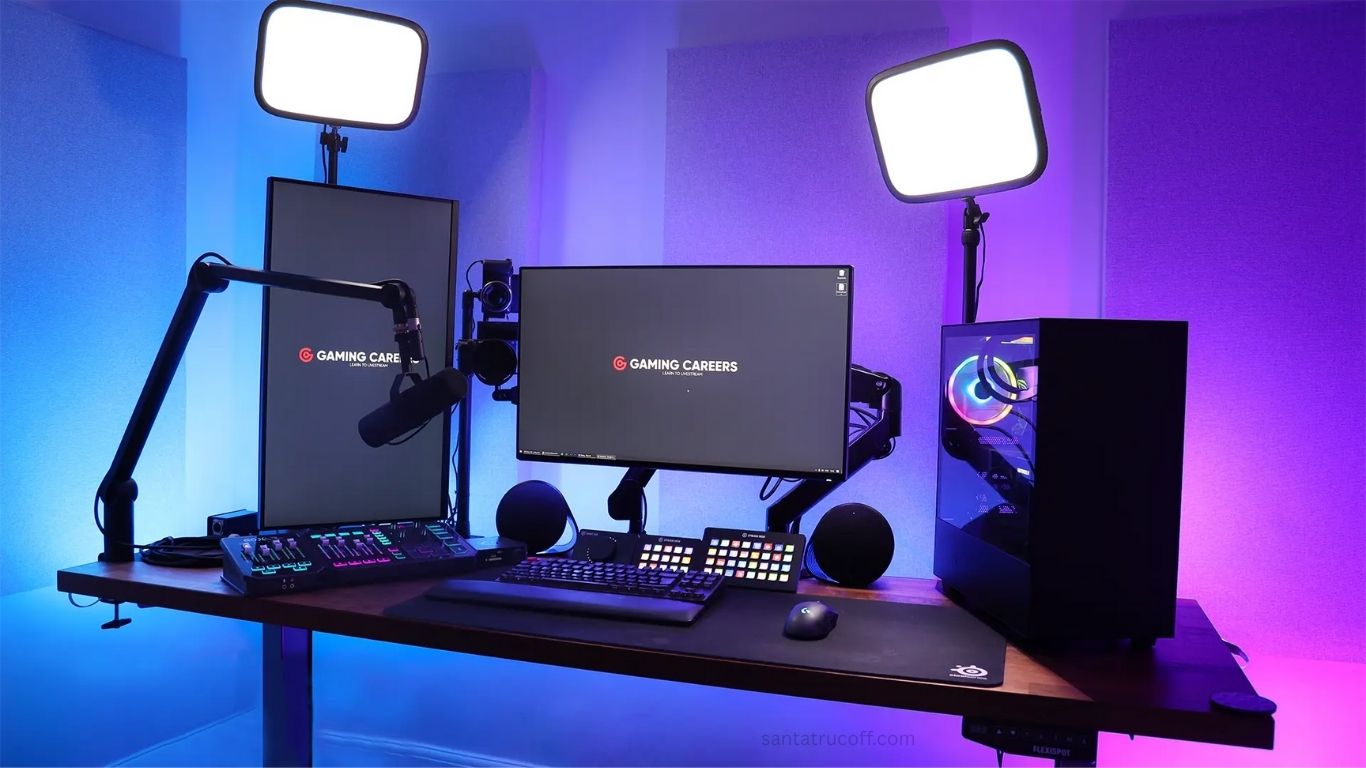
World of gaming has transformed dramatically over the last decade. Not only are games themselves evolving, but the way gamers share their experiences has also changed. Streaming has become a cornerstone of gaming culture, allowing players to showcase their skills, entertain audiences, and even turn gaming into a lucrative career. If you’re a gamer looking to improve your streaming setup and attract more viewers, this article is your ultimate guide. We’ll cover essential streaming tips for gamers, from technical setup to audience engagement strategies.
Why Streaming Is a Game-Changer for Gamers
Streaming isn’t just about playing games; it’s about creating an experience. Platforms like Twitch, YouTube Gaming, and Facebook Gaming have made it possible for anyone to build an audience. Live streaming provides gamers with:
- A platform to showcase talent: Competitive gamers can demonstrate their skills and strategies.
- Community building: Streamers can interact with fans in real-time, creating a loyal following.
- Monetization opportunities: From donations to sponsorships, streaming can become a source of income.
Understanding the potential of streaming is the first step toward becoming a successful streamer.
Essential Streaming Equipment for Gamers
A great stream starts with the right equipment. While you don’t need to spend thousands, investing in quality tools can significantly enhance your streaming experience. Here’s a breakdown of essential gear:
High-Performance Gaming PC or Console
Your computer or console must handle both gameplay and streaming simultaneously. For PC gamers, ensure you have a:
- Multi-core processor (e.g., Intel i7 or AMD Ryzen 7)
- Dedicated graphics card (e.g., NVIDIA GeForce RTX 30 series)
- At least 16GB RAM for smooth multitasking
Console gamers (PS5, Xbox Series X) can also stream directly using integrated streaming features or capture cards.
Capture Card
If you’re streaming console games to a PC, a capture card is essential. It transfers gameplay from your console to your streaming software without lag, maintaining high-quality visuals.
Webcam
A webcam allows viewers to see your reactions, creating a personal connection. Popular options include Logitech C920 or Elgato Facecam, which offer HD quality without breaking the bank.
Microphone
Audio clarity is critical for streaming. A crisp microphone ensures your commentary is professional and enjoyable. Recommended options:
- USB: Blue Yeti or Rode NT-USB
- XLR: Audio-Technica AT2020 (requires an audio interface)
Streaming Software
Software like OBS Studio, Streamlabs OBS, or XSplit is necessary to broadcast your gameplay. These tools allow you to:
- Overlay alerts and graphics
- Customize your stream layout
- Record and stream simultaneously
Optimize Your Streaming Settings
Technical setup can make or break your stream. Proper streaming optimization ensures smooth gameplay and a professional viewing experience.
Bitrate and Resolution
Bitrate affects stream quality and lag. Here’s a general guide:
- 1080p at 60fps: 4500–6000 kbps
- 720p at 60fps: 3000–4000 kbps
Always balance quality with your internet upload speed. A speed test can help determine the ideal bitrate.
Frame Rate
Higher frame rates make your stream smoother, but they require more processing power. 60fps is ideal for fast-paced games, while 30fps is sufficient for slower games.
Scene Setup
Customize scenes for different parts of your stream, such as gameplay, intermission, or chatting. Overlay elements like alerts, webcam frames, and chat boxes enhance professionalism.
Engaging Your Audience: More Than Just Gameplay
Streaming isn’t just about playing games—it’s about keeping your audience entertained. Here are some tips for engaging viewers:
Be Consistent
Set a streaming schedule and stick to it. Consistency builds trust, making viewers more likely to return regularly.
Interact with Chat
Respond to messages, answer questions, and acknowledge new followers. Engagement creates a sense of community, which is key to growing your channel.
Use Alerts and Overlays
Visual and audio alerts for new followers, subscriptions, or donations keep viewers engaged and encourage participation.
Personal Branding
Develop a unique style, logo, and theme. Strong branding makes your channel recognizable and memorable.
Play Games Your Audience Loves
While passion is essential, playing trending or highly-requested games can attract new viewers.
Marketing and Growing Your Streaming Channel
Even the best content needs promotion. Here are strategies to increase visibility:
Social Media
Promote your streams on platforms like Twitter, Instagram, and TikTok. Short clips or highlights can attract new viewers.
Collaborate with Other Streamers
Joint streams or shout-outs can expose your channel to a wider audience.
YouTube Clips
Upload highlights to YouTube to reach audiences who may not catch your live streams.
Engage in Gaming Communities
Participate in forums and Discord groups relevant to your games to share your streams and build relationships.
Tips for Monetization
Once your channel grows, consider monetization strategies:
- Subscriptions and donations: Platforms like Twitch allow viewers to support you directly.
- Sponsorships: Partner with brands that align with your gaming niche.
- Merchandising: Sell branded merchandise to your fanbase.
- Affiliate marketing: Promote gaming gear or software with referral links.
Common Streaming Mistakes to Avoid
Even experienced gamers make mistakes. Avoid these pitfalls:
- Ignoring audience interaction: Streaming without engagement reduces viewer retention.
- Poor audio quality: Clear sound is as important as clear visuals.
- Inconsistent schedule: Viewers are less likely to return without reliability.
- Overcomplicating overlays: Too many visuals can distract from gameplay.
- Neglecting self-care: Streaming long hours without breaks leads to burnout.
Advanced Streaming Tips for Pro Gamers
For gamers looking to take their streams to the next level:
- Invest in dual monitors: One for gameplay, one for monitoring chat and alerts.
- Learn video editing: Clip highlights for social media promotion.
- Network with influencers: Collaboration can significantly boost growth.
- Experiment with content: Try themed streams, challenges, or tutorials.
- Analyze analytics: Use platform metrics to understand what works and what doesn’t.
Frequently Asked Questions
What is the best platform for streaming games?
The most popular platforms are Twitch, YouTube Gaming, and Facebook Gaming. Twitch is ideal for building a live audience, YouTube is great for discoverability and replay content, and Facebook Gaming works well for social sharing. Choose the platform that aligns with your goals and audience.
Do I need expensive equipment to start streaming?
No, you can start streaming with a modest setup. A decent PC or console, a microphone, and a webcam are sufficient. As your channel grows, investing in better hardware like a high-quality camera, capture card, and professional microphone can enhance your stream.
How can I engage viewers during my stream?
Engagement comes from interacting with chat, responding to comments, using alerts for followers or donations, and maintaining a consistent schedule. Playing trending games and showing your personality also keeps viewers interested.
What games are best for streaming?
Games that are popular or trending often attract more viewers. However, niche games can help you build a dedicated community. Balance your passion with audience interest to maximize viewership.
How do I optimize my streaming quality?
Optimize streaming by adjusting bitrate, resolution, and frame rate according to your internet speed. Use streaming software like OBS Studio to customize scenes, overlays, and alerts for a professional appearance.
Conclusion
Streaming is more than a hobby—it’s an opportunity to build a community, showcase your skills, and even earn an income. By investing in quality equipment, optimizing your technical setup, and engaging your audience consistently, you can elevate your streams from average to professional. Remember, success doesn’t happen overnight. Consistency, creativity, and passion are your most powerful tools. Follow these streaming tips for gamers, and you’ll be well on your way to building a thriving online presence.
