

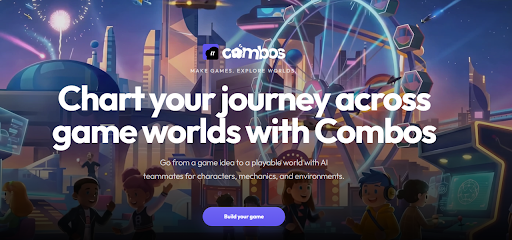
Ten years ago, turning a game idea into something you could actually click through and play meant months of learning an engine, wrangling art assets, and writing systems from scratch. That barrier kept a lot of good ideas locked in notebooks. What’s changed in the last couple of years isn’t just that AI tools got better at generating images or text. Entire creative pipelines, from concept to a shareable link, can now be handled by a single platform that understands what “game” actually means: rules, interactions, art, and feedback loops working together.
That shift is the whole premise behind Combos.
The Rise of the No-Code Game Studio
The most interesting part of this new generation of tools isn’t that they generate art faster, since plenty of tools already do that. It’s that they collapse jobs that used to require separate specialists (designer, artist, programmer, tester) into one conversational workflow. You describe what you want, and the system, reflecting some of the most significant tech trends in AI powered creation, handles structure, logic, and visuals as a connected whole instead of disconnected outputs you have to stitch together yourself.
This is exactly the gap an AI video game maker like Combos is built to close. Instead of producing a static prototype or a handful of concept images, it takes a plain language description, something like “pixel 2D platformer, forest theme, collect coins,” and turns it into an actual Game Design Document. From there it generates the core systems, level layout, and characters that make the concept playable right away. Levels, assets, and mechanics arrive already integrated, so what you get isn’t a proof of concept you still have to build on top of. It’s something you can test and share the same day.
Vibe Coding: Building by Feel, Not by Syntax
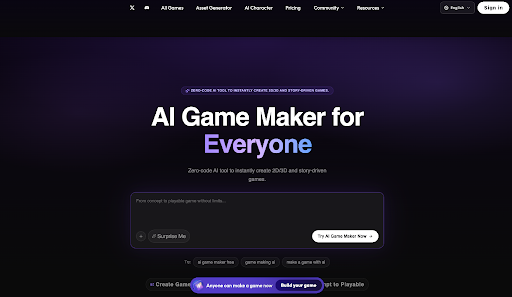
There’s a term that’s become shorthand for this whole approach: vibe coding. It describes building software, in this case games, by describing the feeling, tone, or concept you’re after and letting AI translate that into working systems, rather than writing code line by line.
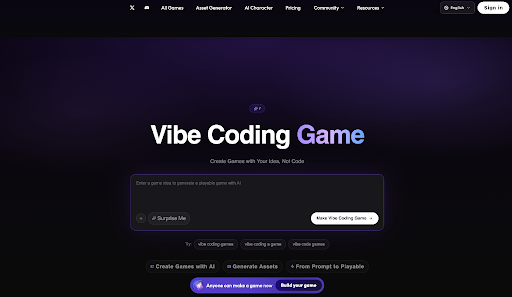
Combos leans into this directly with its own take on the idea. A vibe coding game built on the platform starts the same way any Combos project does, with a description rather than a codebase. You can start from a template like “3D Platformer” and adjust from there, or choose “Build from Scratch” and describe the gameplay style, story, and visual direction you’re imagining. From that point, the AI generates the logic, assets, and a working prototype automatically, and you finish by polishing details in the no-code editor before publishing.
What’s worth noting is that this isn’t positioned purely as a beginner shortcut. It’s built to flex across skill levels: someone learning game design fundamentals gets guided structure, while a professional developer gets a fast way to stress-test a concept before committing real production time to it.
What Makes Combos Different
A few things stand out once you start poking around the platform.
It doesn’t lock you into one genre. Whether you’re sketching out a 2D platformer, a 3D sandbox, a narrative visual novel, or a casual puzzle game, it’s handled inside the same workspace. That matters for anyone who likes to experiment across styles instead of committing to one engine’s strengths and limitations.
Customization stays in plain language. Once a prototype exists, you’re not stuck accepting whatever the AI produced. You can refine levels, tweak asset styles, or adjust mechanics either through a visual drag-and-drop editor or by simply describing the change you want, such as “make the enemies faster” or “swap this background for a nighttime version,” and watch it update in real time.
Everything lives in one place. Asset generation, scene editing, and version management sit inside the same platform, which removes a genuinely tedious part of solo game development: constantly exporting from one tool and importing into another, then reconciling versions when something breaks.
Publishing is a single click. Finished, or even in-progress, games deploy straight to the cloud with a shareable link that updates as you keep editing, which is useful for anyone collecting playtester feedback without setting up hosting or builds themselves.
Who Actually Uses This
The honest answer is a wider range of people than “game developers.” Students use it to learn design and interactive storytelling concepts without needing to learn an engine first. Hobbyists use it to turn weekend ideas into something playable without a six month time investment. Content creators build interactive experiences, quizzes, simulations, and narrative pieces, to share with an audience. Indie developers use it for rapid prototyping, testing whether a mechanic or concept is worth building out further before sinking real time into it. And teams doing concept validation use it simply because it’s faster to get a playable version in front of stakeholders than to mock one up manually.
That range is really the point. Traditional game development tools assume a baseline of technical skill before you can even start experimenting. Combos assumes the opposite: that the idea comes first, and the technical execution should follow from a description of that idea, not gate it.
The Bigger Shift
None of this replaces deep technical game development for teams building complex, large scale titles, and that’s not the goal. What it does change is the cost of trying something. A concept that used to require weeks of setup before you knew if it was even fun can now be tested in an afternoon. For students, hobbyists, and indie creators especially, that’s a meaningful difference: more ideas get far enough to be judged on whether they’re good, instead of stalling out on whether they were technically feasible to attempt in the first place.
If you’ve got a game idea sitting in your notes app, that’s really the only qualification you need to start.
